Overview or Context
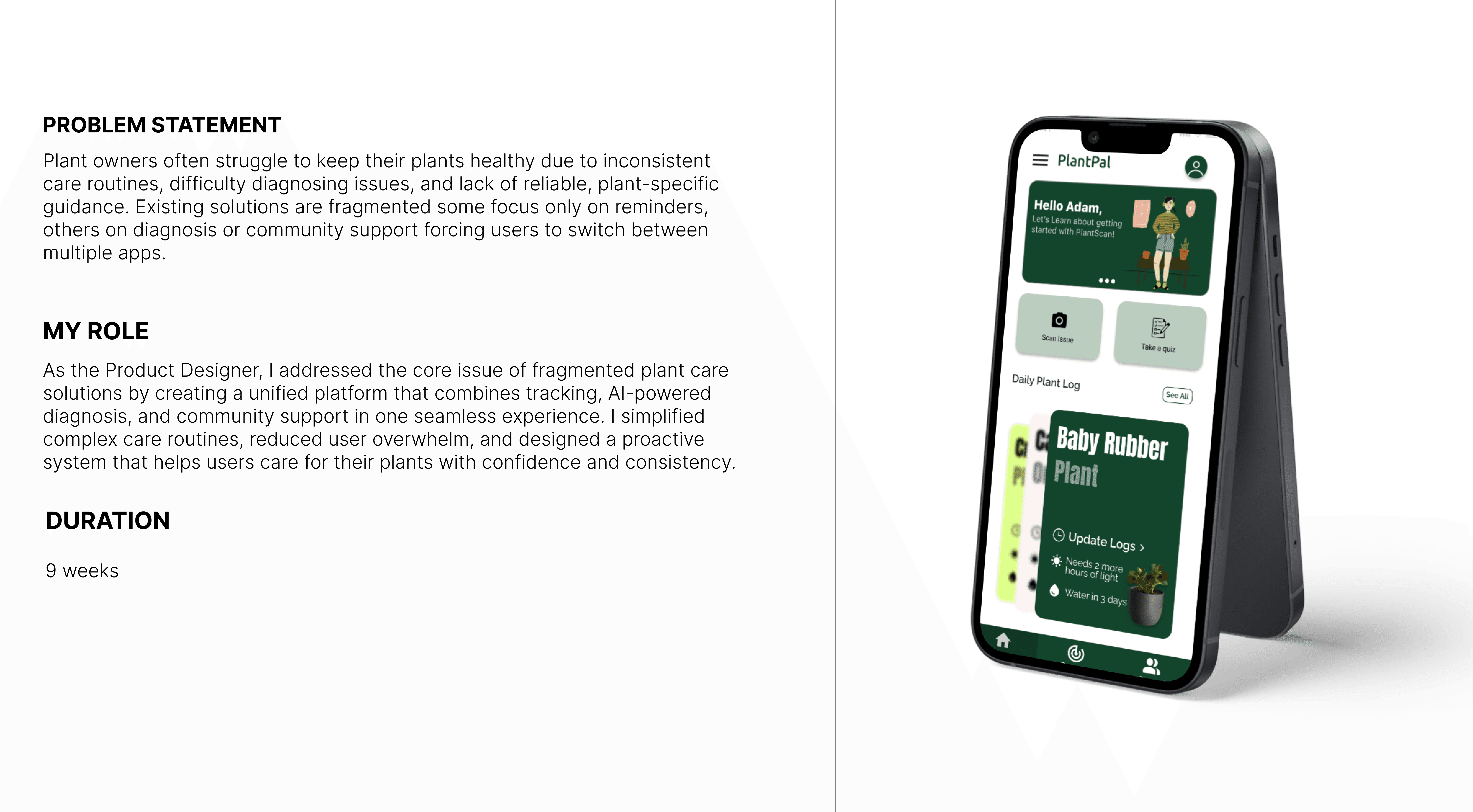
Many plant care apps in the market focus on solving just one aspect of the journey, whether it’s identification, reminders, or community advice, resulting in a fragmented and often frustrating experience for users. This lack of an all-in-one solution makes plant care overwhelming and inconsistent.
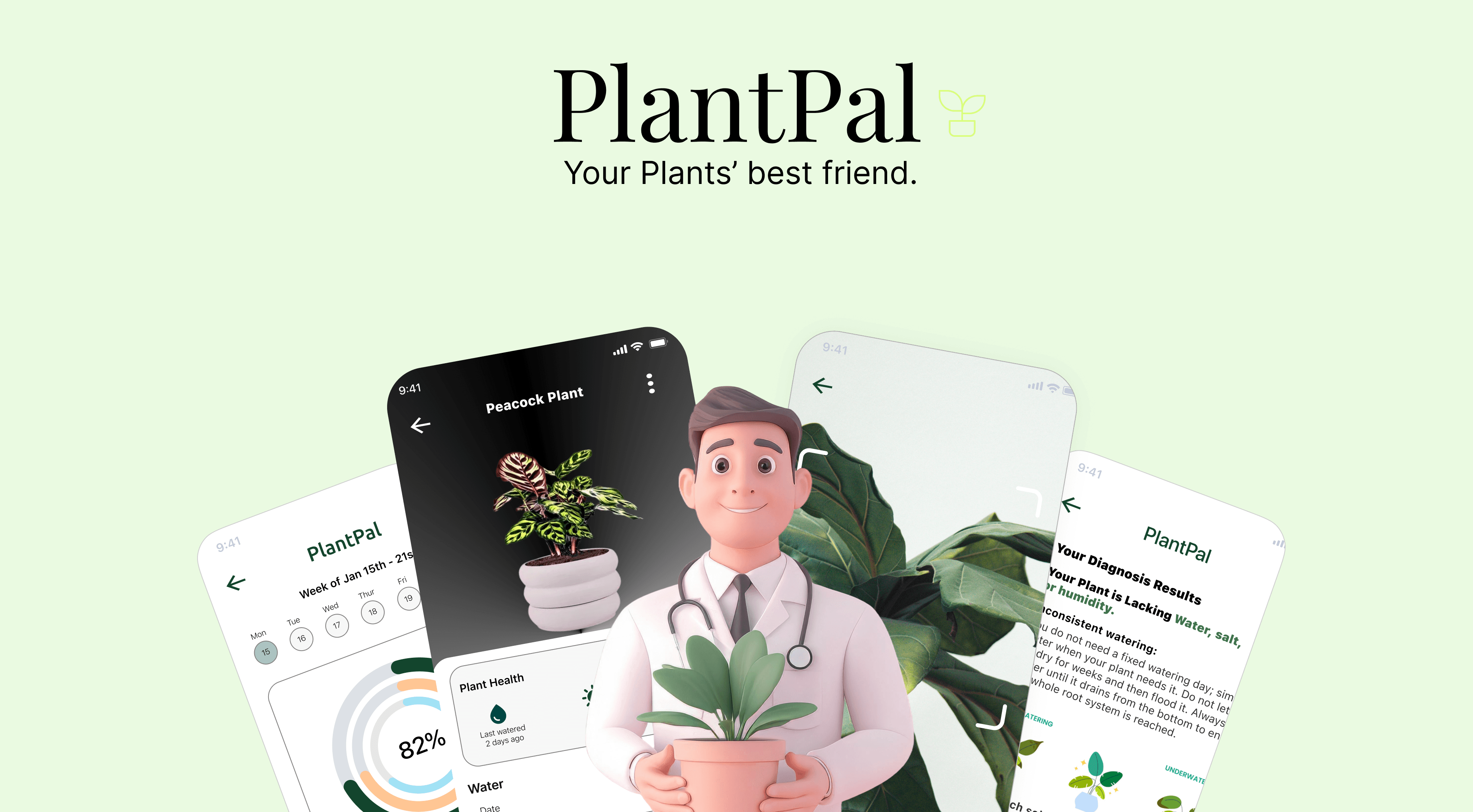
PlantPal was designed to change that. It is a mobile app that simplifies plant care through personalized tracking, AI-powered diagnosis, and community-driven support, bringing the entire plant care lifecycle into one seamless, intelligent experience.
Research or "Understanding the Problem"
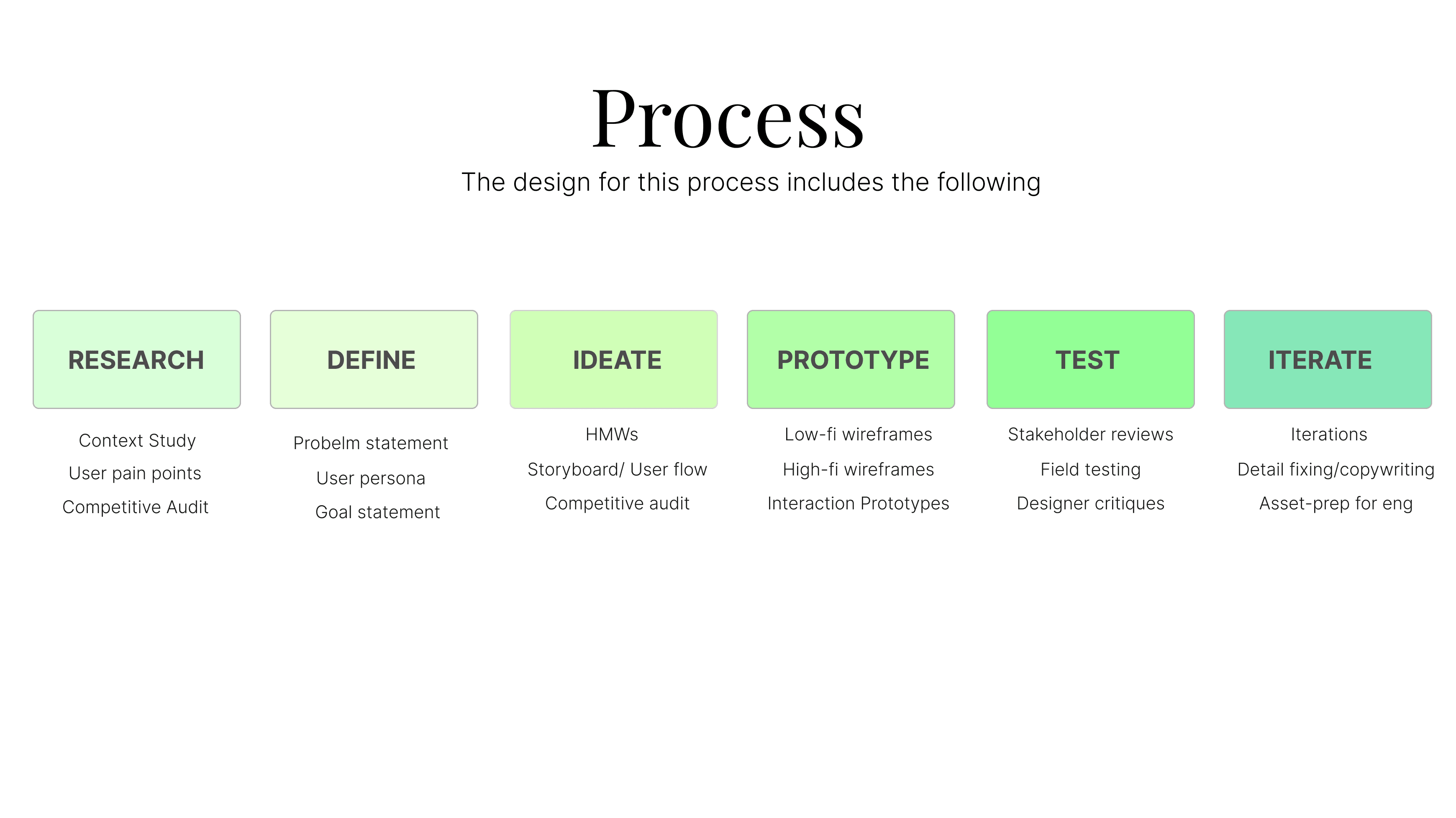
To understand user needs, I conducted interviews with both beginner and experienced plant owners to uncover gaps in their care routines. The research revealed recurring pain points, including difficulty accurately diagnosing plant issues and the lack of structured follow-up tracking after initial identification. A competitive analysis further showed that most existing apps focus primarily on plant identification rather than supporting the full care lifecycle, leaving users without ongoing guidance or proactive support.
COMPETITIVE ANALYSIS
Category | PictureThis | PlantIn | PlantPal |
|---|---|---|---|
Plant Photo Diagnosis | AI plant identification | Camera photo upload | AI + camera based plant diagnosis |
Plant Health Tracker | Not comprehensive | Individual plant tracker | Unified plant dashboard & progress tracking |
Plant Overview Dashboard | Unavailable | Unavailable | Unified health dashboard for all plants |
Diagnosis Report/ Recommendations | Basic care tips | Advice and care suggestions | Customized and short plant care diagnosis report |
Community / Social Features | Unavailable | Community posting | Community groups, expert Q&A & DMs |
Accessible UI (Voice/Read-Aloud) | Minimum or no accessible features in app | Minimum or no accessible features in app | Accessibility-first (voice/read-aloud, dark mode & simple language) |
Expert support | Expert advise available | Expert advice available | Community + expert guidance |
UER INTERVIEWS REVEALED THAT:
Information overload, low confidence, and time constraints in plant care
Need for quick, visual, and trustworthy diagnosis tools
Accessibility challenges (screen readers, dyslexia, text-heavy content)
Preference for step-by-step, actionable guidance over generic advice
Importance of reminders and plant health tracking for consistency
WHAT USERS SAY:
“I Google everything but still don’t know what’s actually wrong.” – Leah (Beginner Plant Owner)
“I want to track if my plant is actually getting better.” – Siddharth (Hobby Gardener)
Define or "Clarifying the Focus"
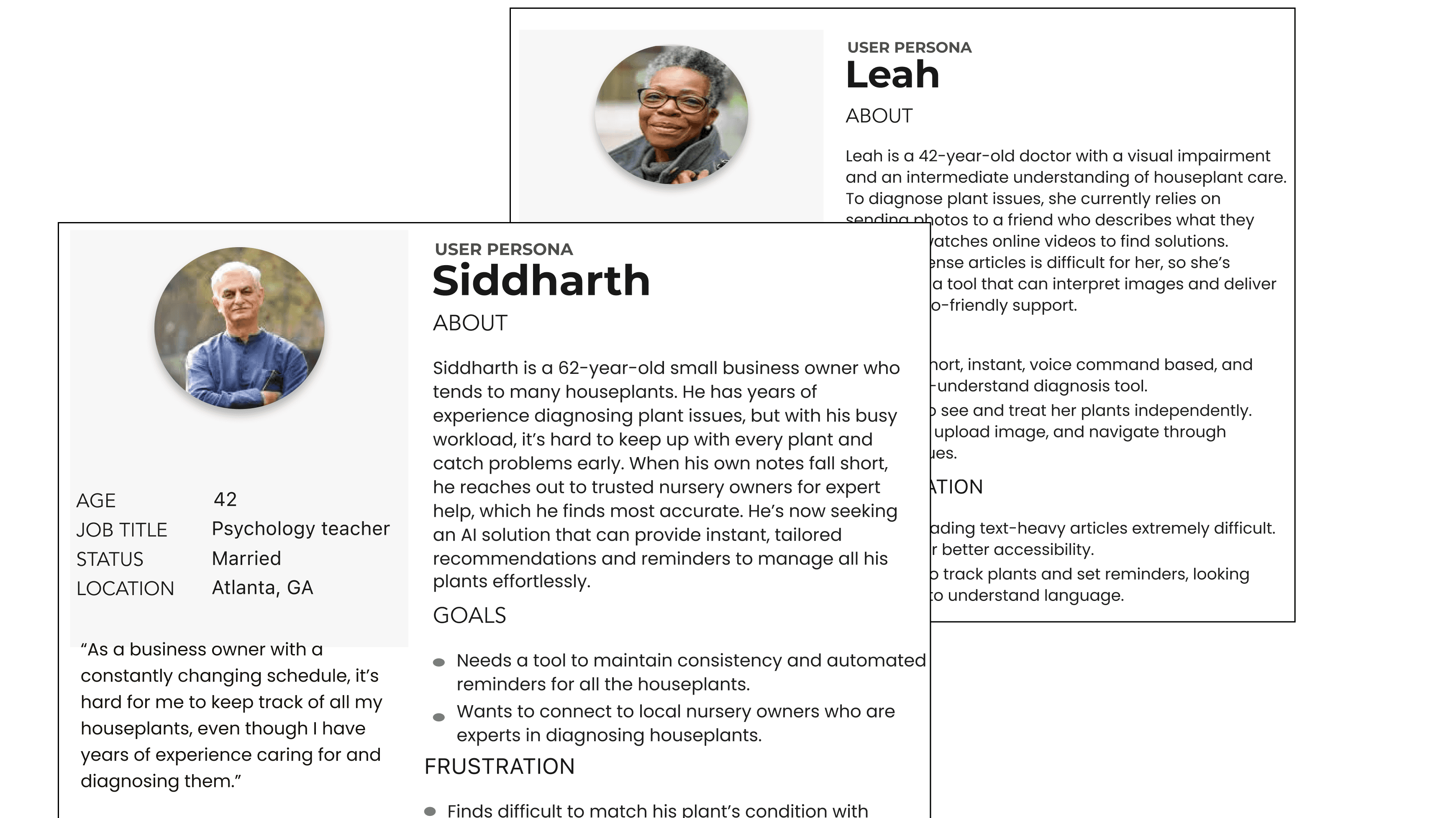
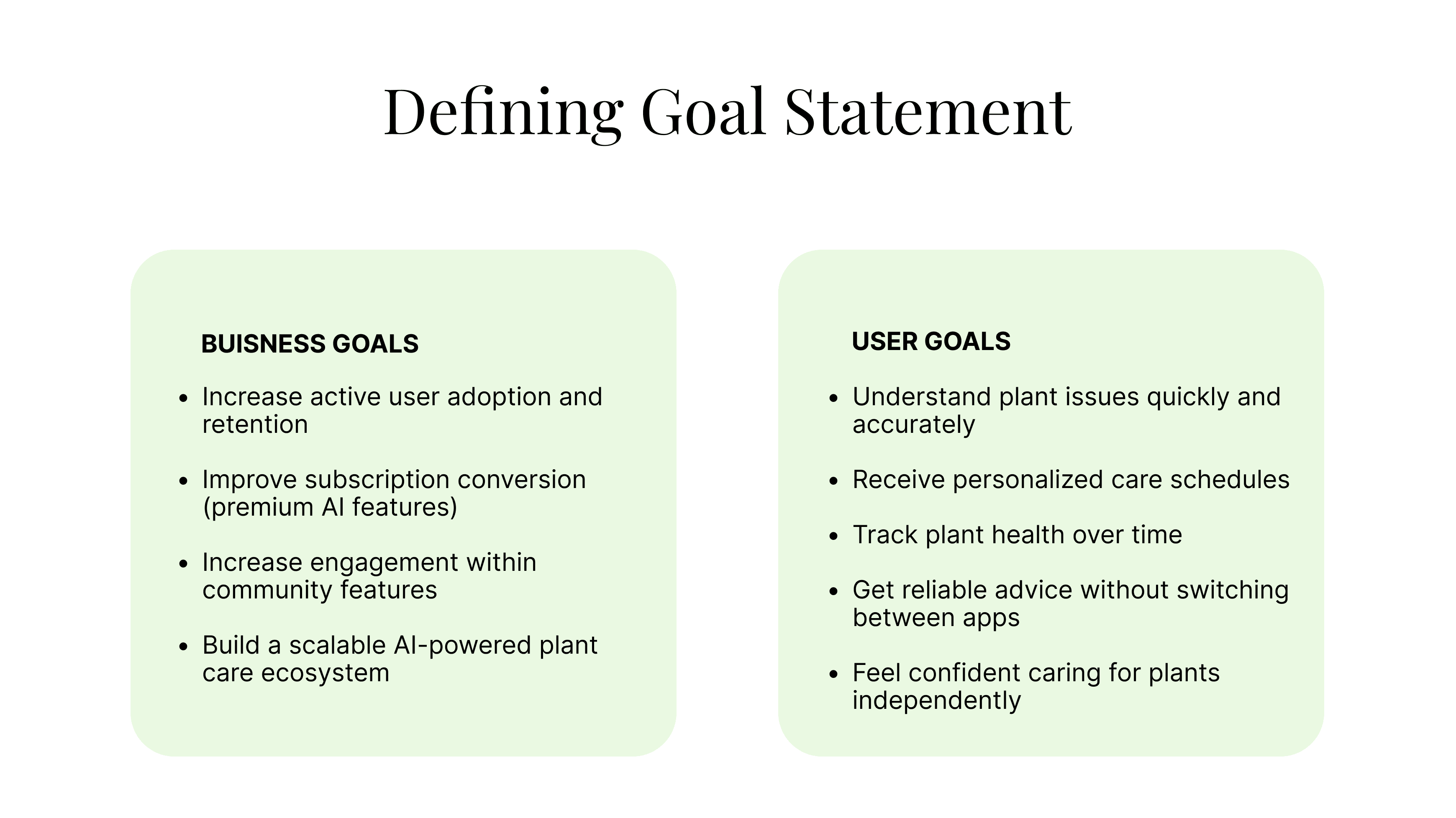
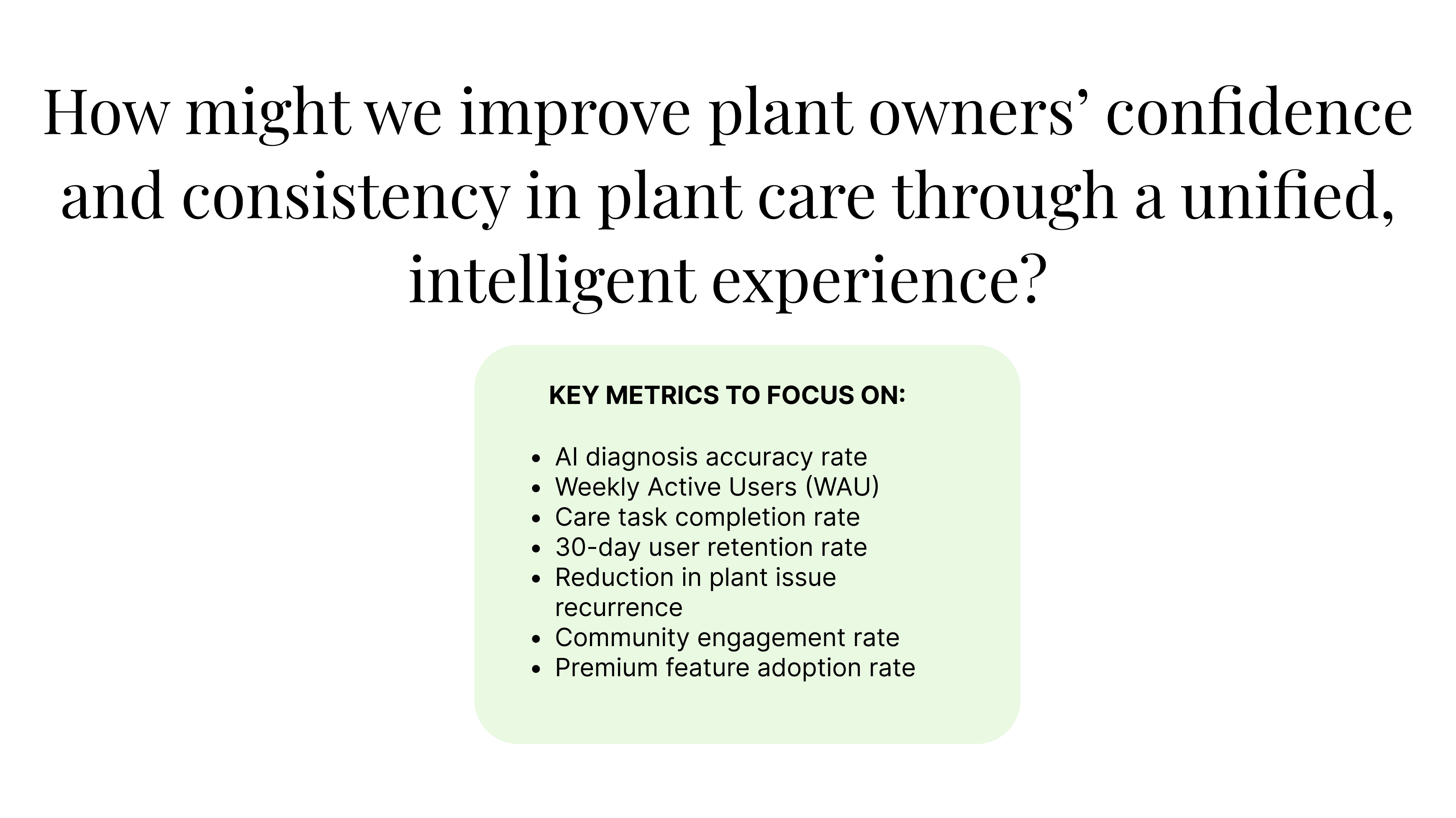
In the Define stage, I translated research insights into a clear problem statements, user personas, aligned user and business goals, and identified key metrics to guide PlantPal’s product direction.
User Personas
Created user personas to synthesize research insights and clearly define the key problems to be addressed.
Ideate or "Exploring Possibilities"
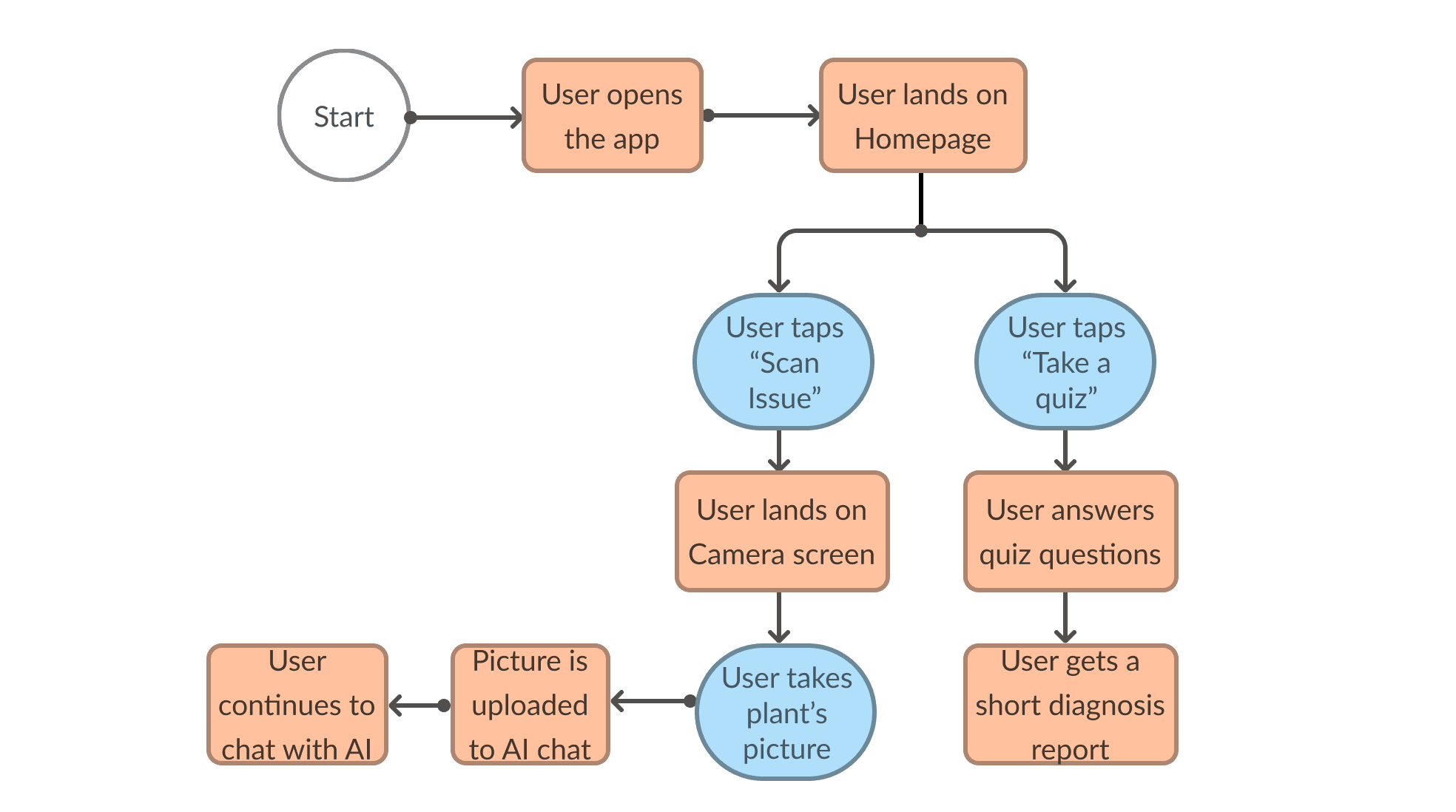
Generated solution ideas and mapped user flows to address key challenges in a simple and scalable way.
Created a high-level storyboard to visualize how the app addresses the user’s primary problem, then refined the experience through detailed user flows to map each interaction step-by-step.
Prototype or "Bringing to Life"
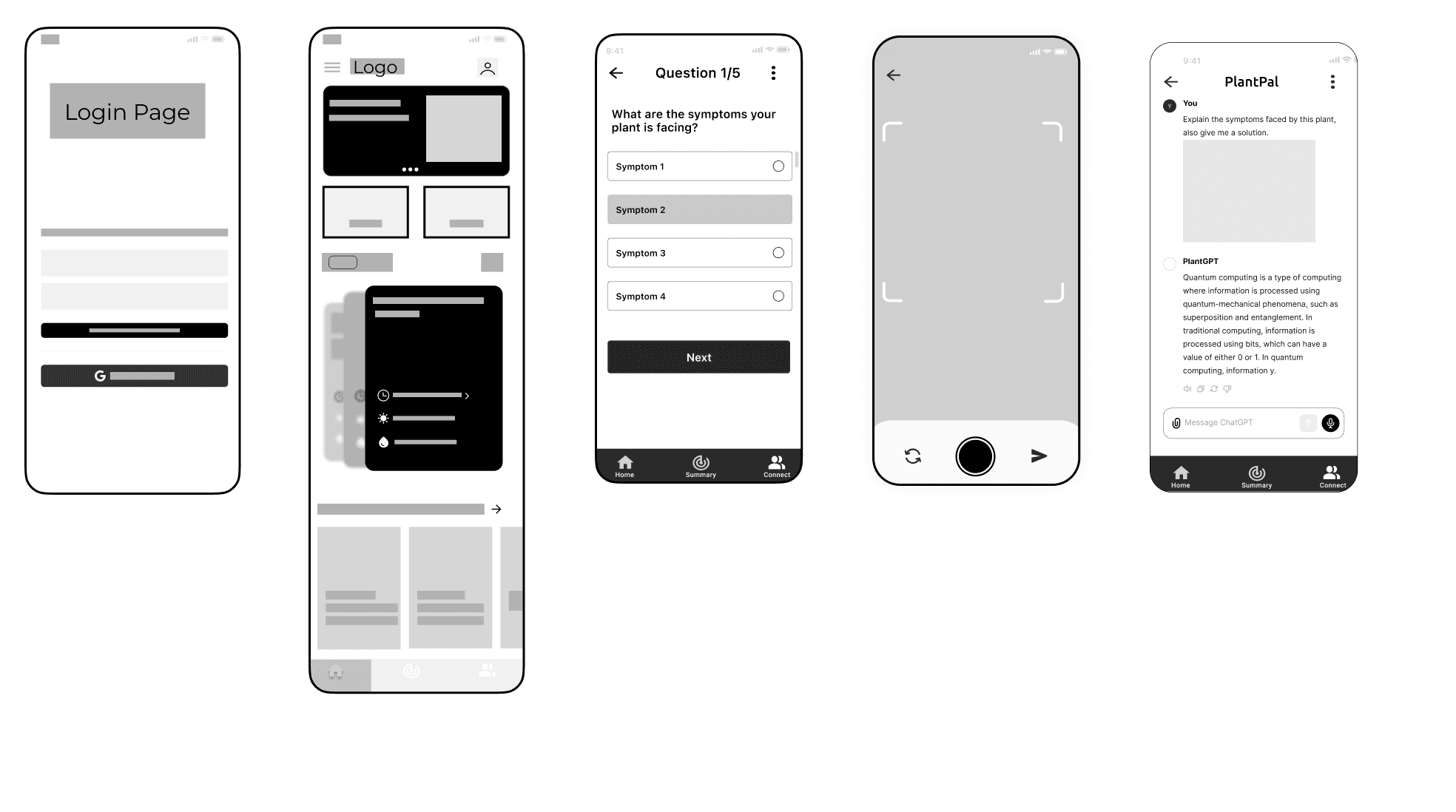
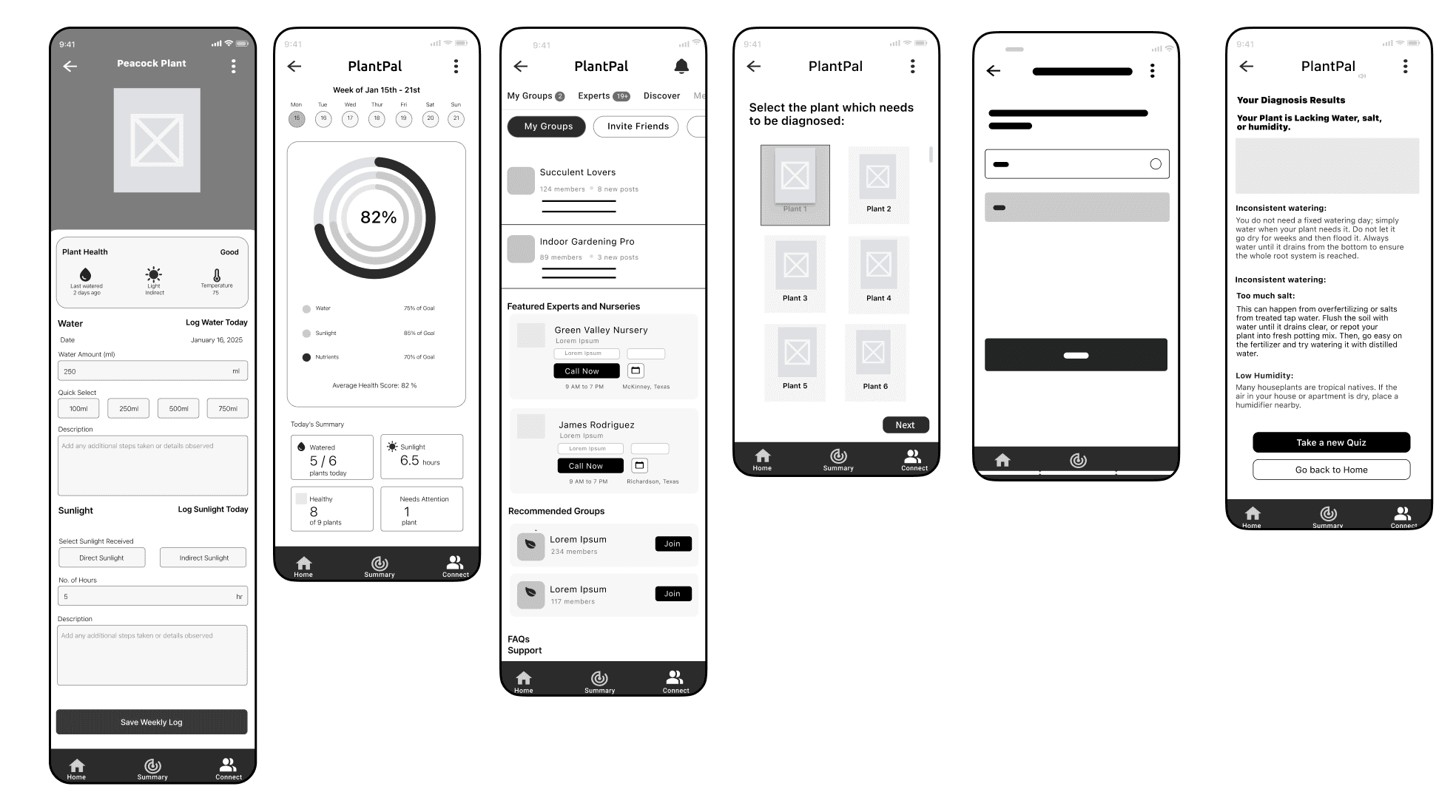
Designed low and high-fidelity screens and interactive prototypes to create a seamless and engaging user experience trying to address the HMW question mentioned before.
Validating & Refining
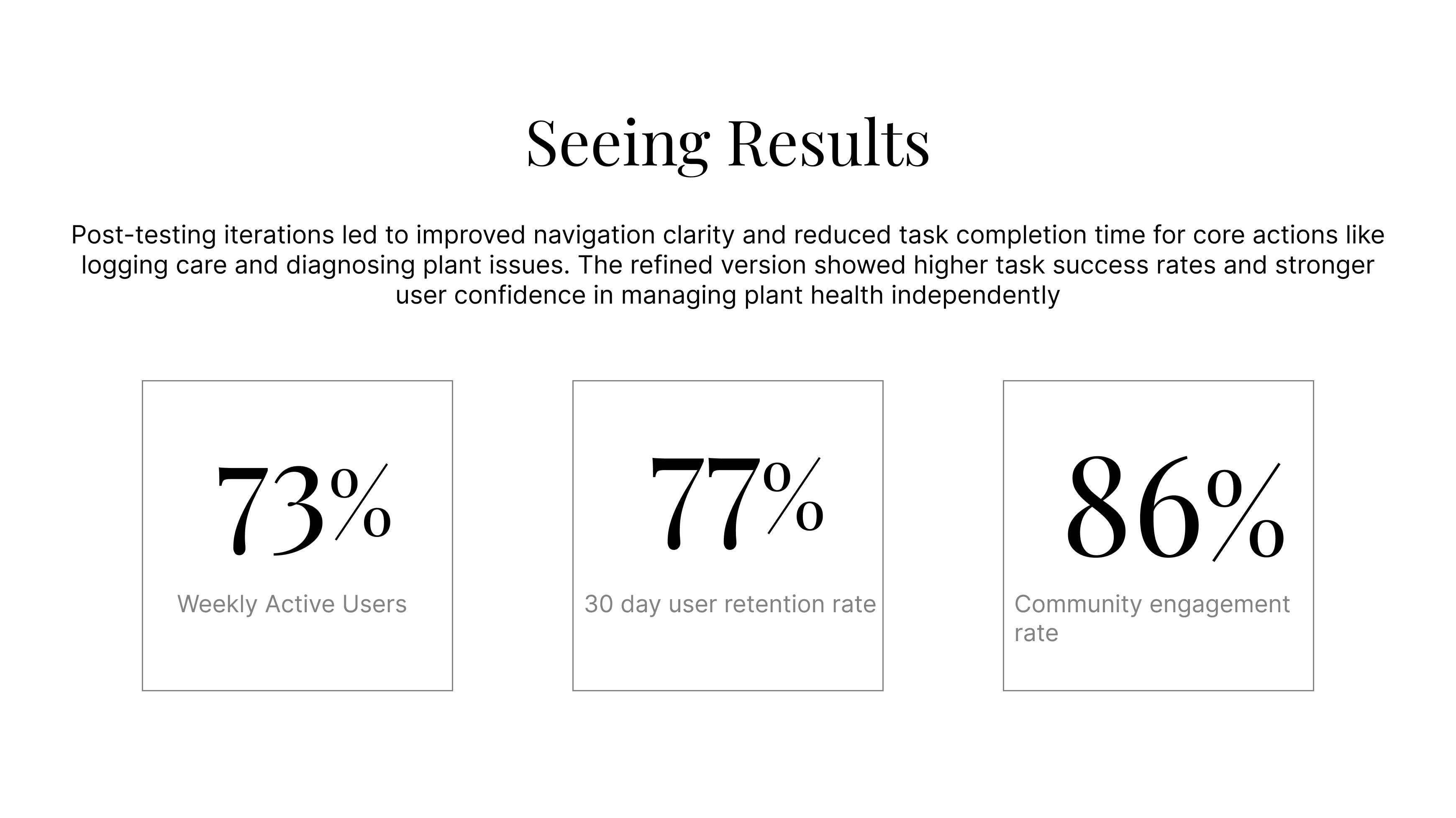
I tested PlantPal at multiple stages to validate usability, clarity, and overall user confidence.
Low-Fidelity Testing – Early wireframes were tested to evaluate navigation flow, feature prioritization, and clarity of the diagnosis and tracking system. An initial questionnaire was prioritized to better understand plant owners’ experience levels, plant types, and care challenges, as many personalization factors depended on this input. The questionnaire also helped identify users needing accessibility support, triggering a guided onboarding tour to ensure inclusivity from the start.
Unmoderated User Testing – Participants were asked to complete key tasks such as adding a plant, diagnosing a leaf issue, and setting reminders. Navigation flow was specifically tested to assess whether users could intuitively locate where to track all their plants. The clarity of the diagnosis and tracking system was evaluated to determine if users understood the structure or experienced cognitive overload.
Beta Testing – Before finalizing the prototype, the app was tested with a small group of plant owners over a 2-week period. Users actively logged care routines and used the AI diagnosis feature, providing feedback on usability, accuracy perception, and engagement.
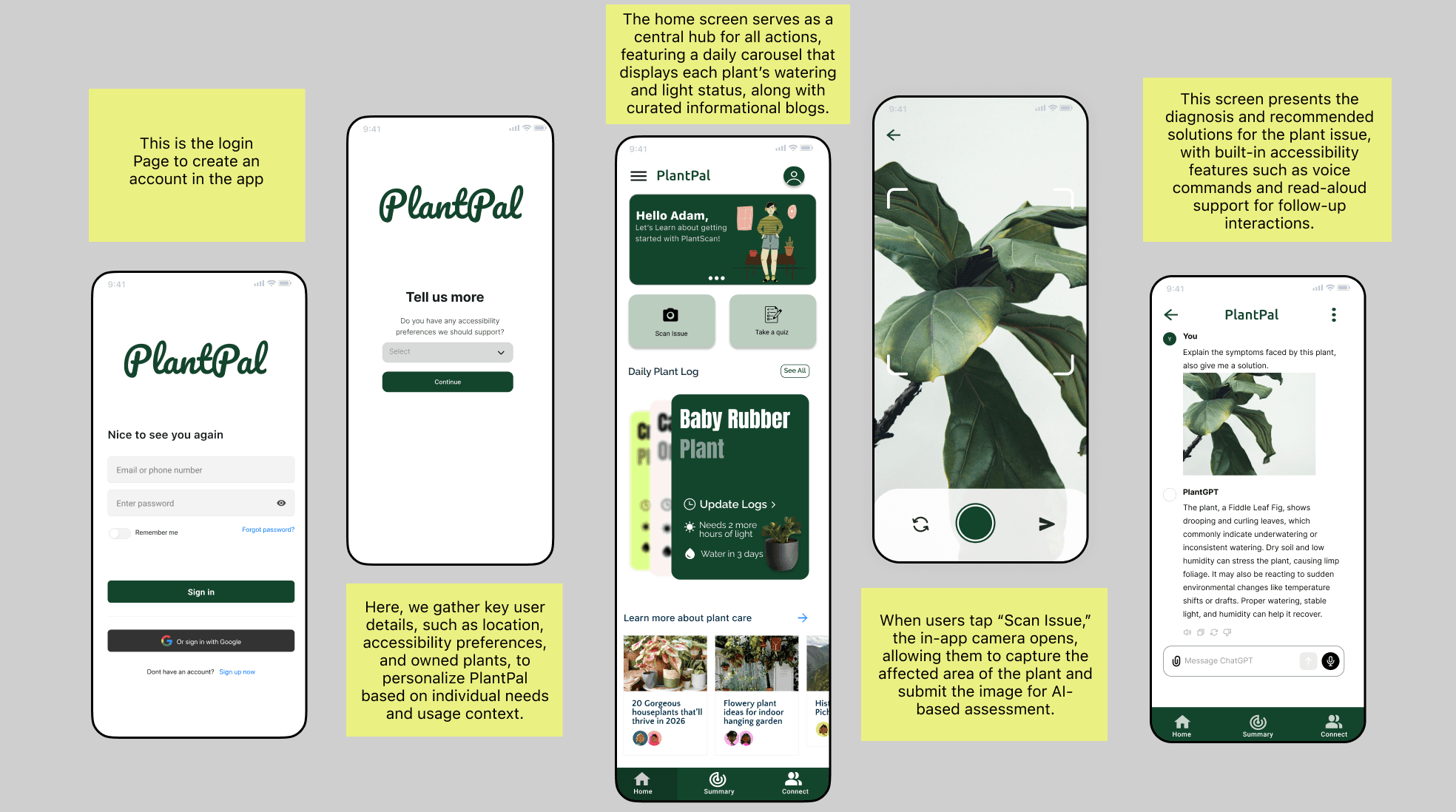
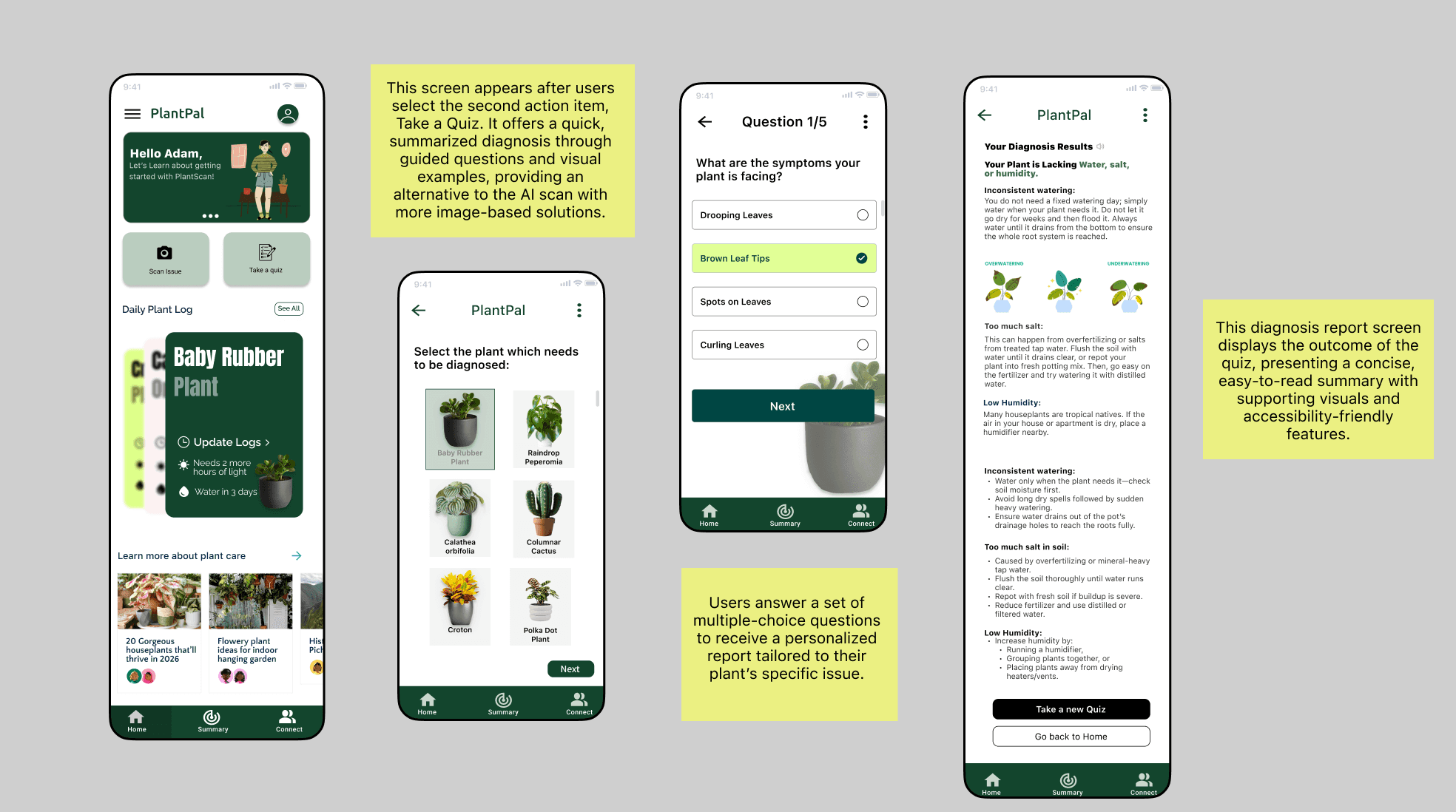
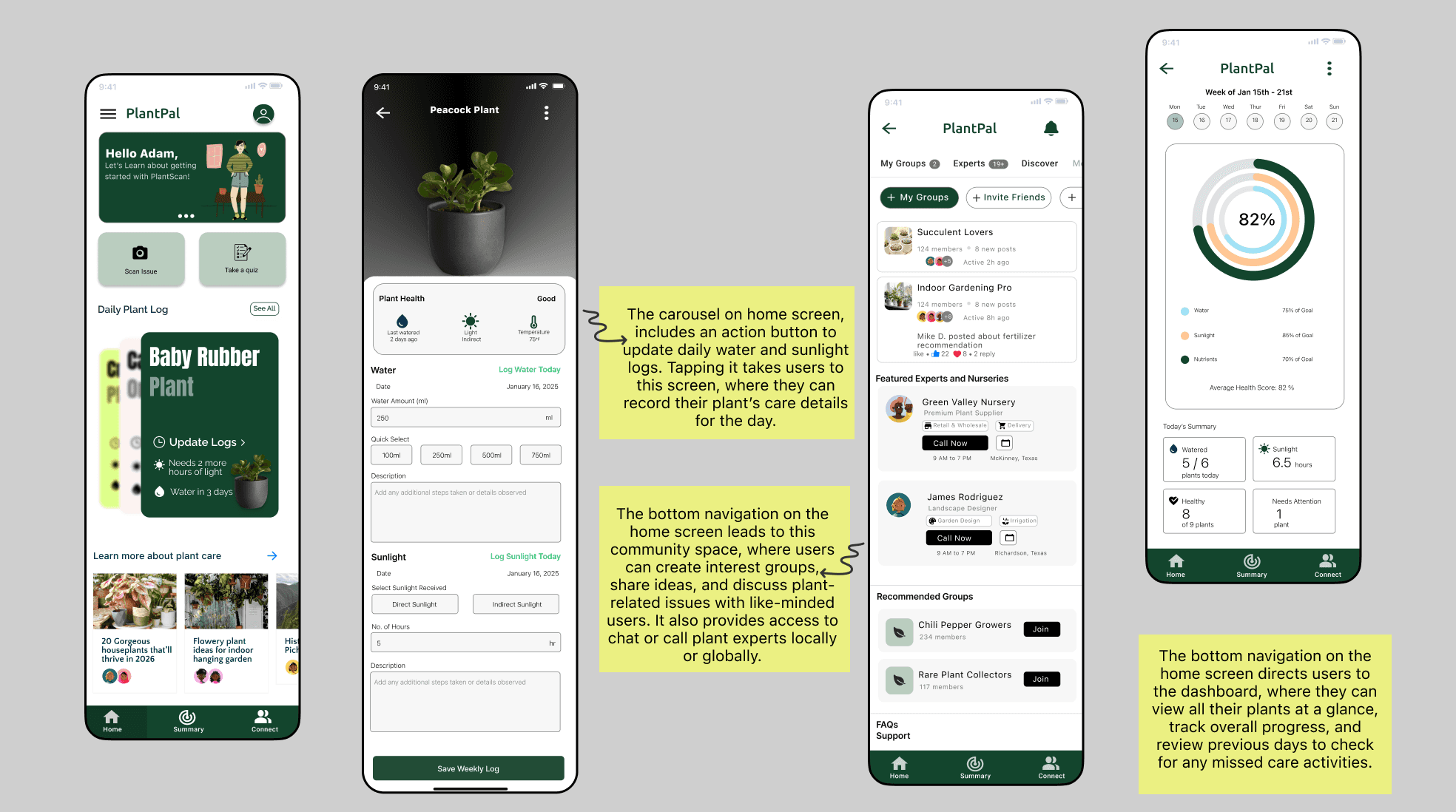
Project Learnings
Simplicity Builds Confidence
Plant care can feel overwhelming. Clear guidance and minimal cognitive load are more valuable than feature-heavy interfaces.
Design for the Full Lifecycle
Supporting users from diagnosis to daily care tracking creates long-term value. Logging plant care tasks by calendar date helps users track routines, build confidence over time, and ensures the experience remains accessible for all users.
Validate Early, Iterate Often
Testing early prototypes revealed usability gaps that saved significant redesign effort later and strengthened the final experience.